Image to svg with GPT4o

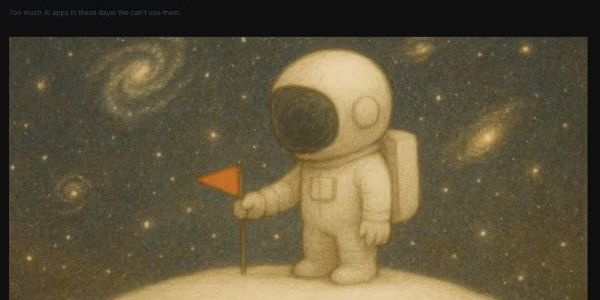
From Pixels to Paths: Converting Images to SVG with GPT-4o (And Why Your Mileage May Vary)
So you've got a beautiful raster image and you want it as a crisp, scalable SVG. Maybe you're tired of pixelated logos or you just want to impress your designer friends with your newfound vector wizardry. Enter GPT-4o, OpenAI's multimodal marvel that can actually see your images and turn them into code.
The Magic (When It Works)
GPT-4o's vision capabilities are genuinely impressive. Upload a simple icon, logo, or geometric shape, and it can analyze the visual elements and spit out SVG code that recreates the essence of your image. The process is surprisingly straightforward:
- Upload your image
- Ask something like "Convert this to SVG code"
- Watch the AI squint at your pixels and transform them into
<path>,<circle>, and<rect>elements - Copy the code and marvel at your scalable creation
The model excels at understanding basic shapes, clean lines, and simple color schemes. Give it a minimalist logo with geometric elements, and you'll often get surprisingly accurate results. It's particularly good at:
- Simple icons and symbols - Think material design icons or basic pictograms
- Text-heavy images - Company logos with clear typography
- Geometric patterns - Shapes that can be mathematically described
- High contrast images - Clear distinction between elements
The Reality Check
But here's where things get spicy. GPT-4o isn't actually tracing your image pixel by pixel. It's making educated guesses based on what it thinks it sees. This leads to some... interesting interpretations.
The Good:
- Genuinely impressive pattern recognition
- Can handle multiple colors and gradients
- Understands layering and composition
- Actually writes clean, readable SVG code
The Not-So-Good:
- Complex images become abstract art projects
- Fine details get lost in translation
- Color matching can be approximate at best
- Organic shapes often become angular approximations
I once fed it a photo of a cat and got back what looked like a Picasso fever dream rendered in vector format. Technically SVG? Yes. Recognizable as a cat? That's... debatable.
Technical Deep Dive
When GPT-4o processes your image, it's essentially performing object detection and shape recognition, then translating that into SVG primitives. The model breaks down complex visuals into:
- Basic shapes (
<circle>,<rect>,<ellipse>) - Path data (using
<path>withdattributes for complex curves) - Color analysis (hex codes, gradients, opacity)
- Spatial relationships (positioning, scaling, grouping)
The SVG output typically includes proper viewBox attributes for scalability and organized structure with groups (<g>) for logical element clustering. However, the path coordinates are approximated, not precisely calculated, which explains why complex curves sometimes look like they were drawn by a caffeinated mathematician.
The AI Landscape: Choosing Your Vector Warrior
While we're talking about GPT-4o, let's acknowledge that different AI models have different superpowers:
GPT-4o shines with its multimodal understanding and clean code output, but can oversimplify complex images.
Claude (hey, that's me!) is great at understanding SVG code structure and can help refine or modify existing SVG code, though I can't directly process images for conversion.
Specialized tools like Adobe's AI features or dedicated vector tracing software still outperform general-purpose LLMs for complex image conversion.
Midjourney/DALL-E excel at creating SVG-style images from scratch but aren't designed for direct conversion.
The sweet spot? Use GPT-4o for initial conversion of simple graphics, then fine-tune with specialized tools or manual editing for precision work.
Pro Tips for Better Results
- Start simple: Clean, high-contrast images work best
- Preprocessing helps: Increase contrast and reduce noise before conversion
- Be specific: Ask for particular SVG features like gradients or specific color palettes
- Iterate: Use the AI's output as a starting point, not the final product
- Embrace the imperfection: Sometimes the AI's interpretation is more interesting than the original
The Bottom Line
GPT-4o's image-to-SVG conversion is like having a talented but slightly drunk artist recreate your image with vector tools. For simple graphics and icons, it's genuinely useful and can save significant time. For complex photographs or detailed illustrations, you're better off with traditional vectorization tools or manual tracing.
But hey, at least when it inevitably turns your company logo into abstract art, you can call it "AI-enhanced creative interpretation" and charge extra for the artistic vision.
The future of automated vector conversion is bright, pixelated, and occasionally hilarious. Just remember: with great AI power comes great responsibility to double-check your outputs before sending that SVG logo to the print shop.